Docker Basics
The Problem Docker Solves
“It works on my machine” is the punchline every developer dreads. Your app runs locally, but staging or production breaks because the environment differs — wrong Node version, a missing library, or a dependency conflict. Docker fixes this by packaging your application with everything it needs to run, so the same setup works on your laptop, a teammate’s machine, or a cloud server.
What Is a Hypervisor?
Before containers went mainstream, teams relied on virtual machines (VMs). A hypervisor is software that sits between physical hardware and those VMs — it carves one server into multiple isolated “computers,” each running its own full operating system.
A real-world example: when you launch an EC2 instance on AWS, the Nitro Hypervisor (built on KVM) creates your VM. Nitro handles CPU, memory, and storage allocation while keeping the underlying host secure. You get a complete Linux environment without owning separate physical hardware.
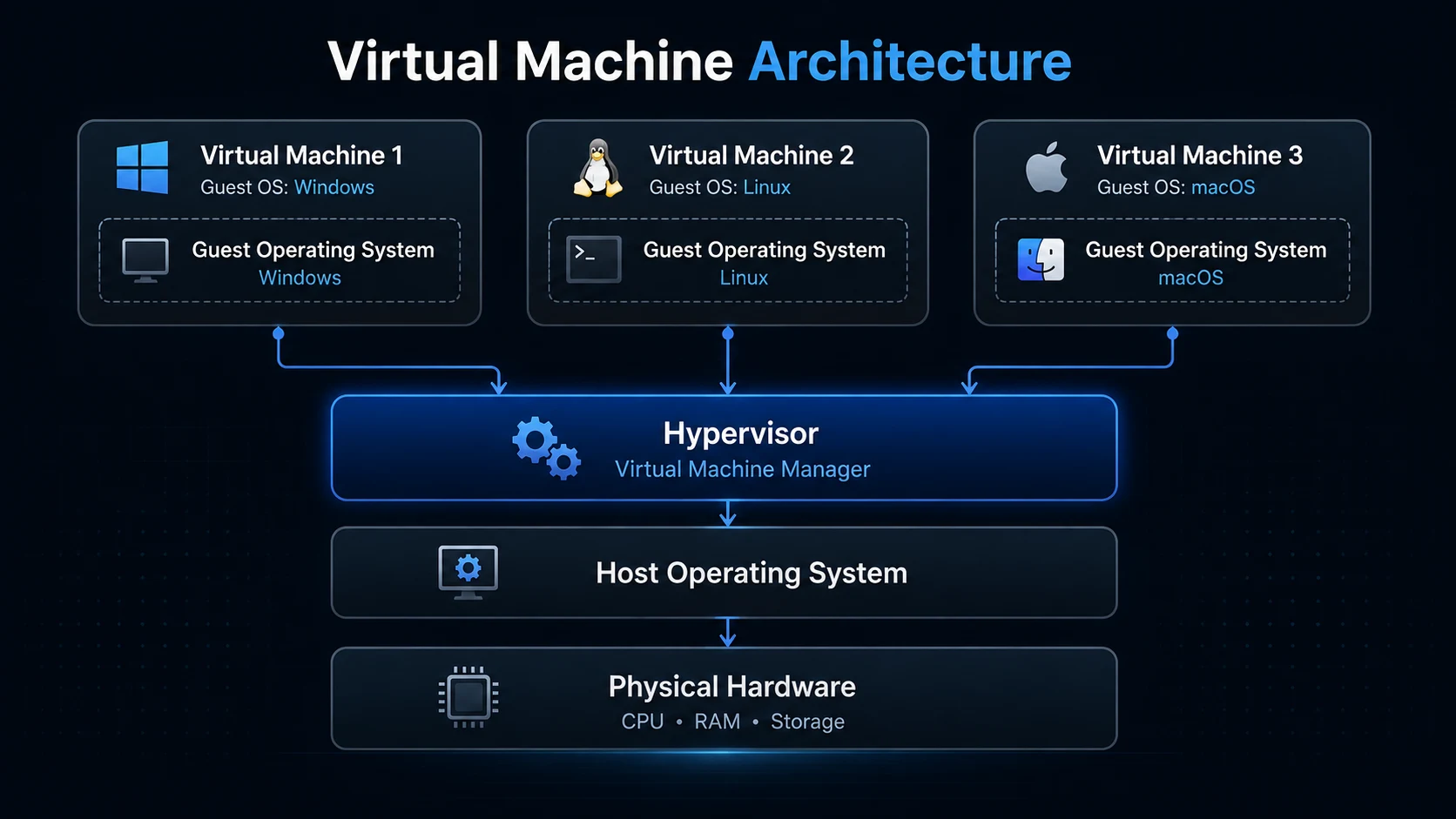
Container vs Virtual Machine
A container shares the host’s OS kernel instead of booting a separate one. That trade-off makes containers lighter and faster, with slightly less isolation than a full VM.
| Container | Virtual Machine | |
|---|---|---|
| Isolation level | Process-level (shared kernel) | Hardware-level (separate OS per VM) |
| Weight / speed | Lightweight — MBs, minimal overhead | Heavy — full OS per instance, GBs of disk |
| Startup time | Seconds or less | Minutes (full boot cycle) |
| Portability | Runs anywhere Docker is installed | Requires matching hypervisor and OS image |
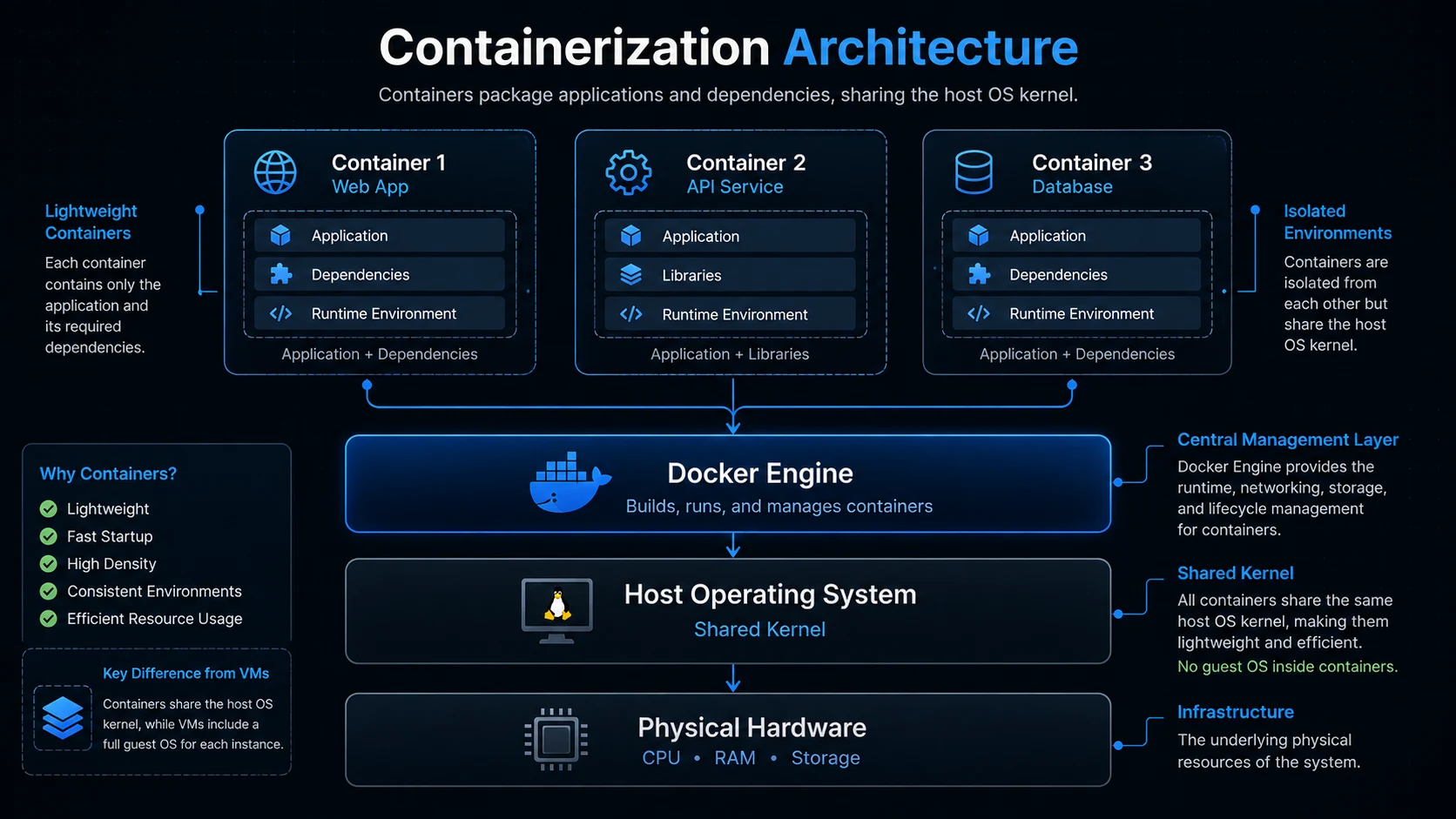
What Docker Actually Is
Docker is a platform for building, shipping, and running applications inside containers. You write a Dockerfile describing your app, Docker builds a portable image from it, and you run that image as a container — a live, isolated process on any machine with Docker installed.
Key Takeaway Docker eliminates “works on my machine” by bundling apps into portable containers that behave the same everywhere. VMs offer stronger isolation with full OS copies; containers trade some of that for speed and efficiency. For most application workloads, Docker is the practical sweet spot.