Images and Containers
Image vs Container
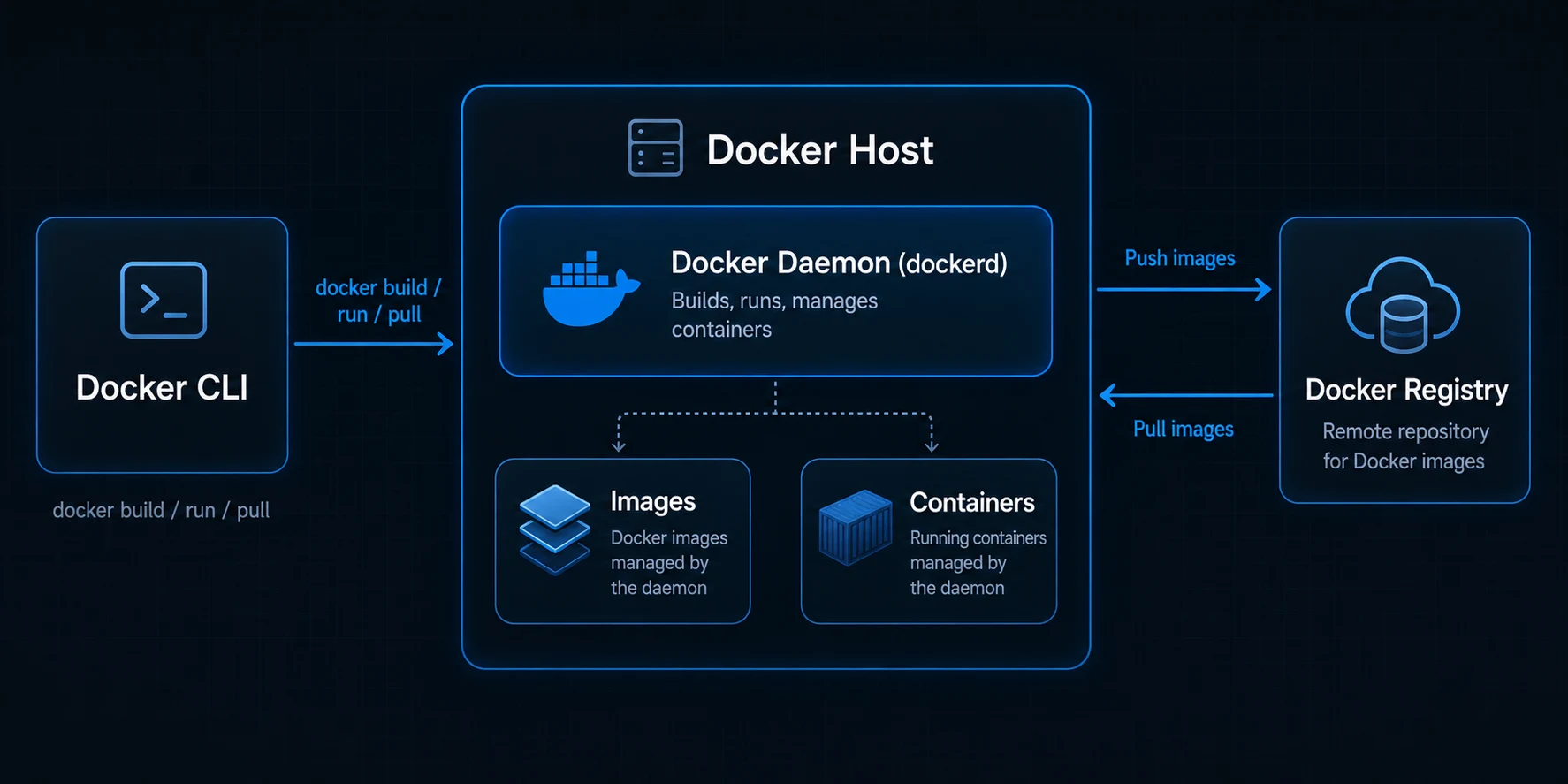
An image is a read-only template — a snapshot of your app, its runtime, and dependencies. A container is a live instance created from that image: an isolated process with its own filesystem and network.
Think of it like a recipe versus a cooked meal. The recipe (image) stays unchanged on the shelf; every time you cook it, you get a fresh meal (container). You can run many containers from one image, just like you can bake the same cake recipe twice.
What Are Image Layers?
When Docker builds an image, each instruction in your Dockerfile (FROM, COPY, RUN) creates a layer — a filesystem diff stacked on top of the previous one. Layers are cached and reused: if package.json has not changed, Docker skips re-running npm install and pulls the cached layer instead. That is why copying dependency files before source code speeds up rebuilds.
Why Smaller Images Matter
Bigger images are not just annoying — they have real costs:
- Faster pulls — CI pipelines and production hosts download less data on every deploy.
- Smaller attack surface — fewer packages in the image means fewer vulnerabilities to patch.
- Faster deploys — less to transfer and extract means containers start sooner.
One of the most effective ways to keep images lean is choosing the right build strategy — starting with a single-stage build and graduating to multi-stage when your app needs it.
Single-Stage Builds
A single-stage build uses one FROM instruction and one continuous pipeline — install dependencies, compile code, and run the app all in the same image. This is the simplest approach and perfectly fine for small projects or learning.
FROM node:22
WORKDIR /app
COPY package.json package-lock.json ./
RUN npm ci
COPY . .
RUN npm run build
CMD ["node", "dist/server.js"]
Everything stays in the final image: the full Node.js runtime, all dev dependencies, the TypeScript compiler, test runners, and source files alongside the compiled output. The container runs fine, but the image is larger than it needs to be because it carries build tooling you only used during docker build.
Multi-Stage Builds
A multi-stage build splits the Dockerfile into separate stages, each with its own FROM. The first stage handles compilation and dependency installation with the full toolchain; the final stage starts fresh from a slim base and copies only the artifacts it needs.
# Stage 1: build with full toolchain
FROM node:22 AS builder
WORKDIR /app
COPY package.json package-lock.json ./
RUN npm ci
COPY . .
RUN npm run build

# Stage 2: slim runtime — only the compiled output
FROM node:22-alpine
WORKDIR /app
COPY --from=builder /app/dist ./dist
COPY --from=builder /app/node_modules ./node_modules
CMD ["node", "dist/server.js"]
Docker builds stage one, then throws it away. Only the layers from the final stage become your image. The compiler, dev dependencies, and source files from stage one never reach production.
Why Multi-Stage Builds Matter
Single-stage builds work, but they ship everything used during the build into the running container. Multi-stage builds fix that by separating build time from run time:
- Smaller final images — the production image contains only your compiled app and runtime dependencies, not compilers, test frameworks, or source code. A Node app that weighs 1.2 GB single-stage might drop to 200 MB multi-stage.
- Build tools stay out of production — gcc, npm dev dependencies, and test runners have no reason to exist in a running container. Fewer packages means fewer things that can break or be exploited.
- Faster and safer deploys — smaller images pull faster in CI and on production hosts, and a reduced attack surface means fewer vulnerabilities to scan and patch.
- Cleaner separation of concerns — the build stage can be as heavy as needed (full OS, debug tools, linters) while the runtime stage stays minimal (Alpine, distroless, or slim).
Reach for a single-stage build when you are prototyping or the image size does not matter. Switch to multi-stage once your app has a compile step, dev dependencies, or when image size and security start to count — which is usually before your first production deploy.
Key Takeaway Images are reusable templates; containers are running instances built from them. Single-stage builds keep everything in one image — simple but heavy. Multi-stage builds compile in one stage and copy only the output into a slim final image, giving you smaller, safer, faster-to-deploy containers.